AI-generated retro photos are becoming one of the most eye-catching trends on social media. Among the many AI photo-editing styles, the 80s AI Photo Trend has gained a lot of attention because it can transform an ordinary modern photograph into a nostalgic-looking portrait inspired by the 1980s.
With the right AI prompt, your modern photo can be transformed with authentic 1980s hairstyles, vintage clothing, classic accessories, retro cars, cassette players, old-school posters, warm lighting, analog film grain, and faded vintage colors.
The best part is that you don’t need Photoshop, Lightroom, or professional photo-editing skills. You can use the ChatGPT mobile app, upload your own photograph, and give ChatGPT a detailed 1980s photo editing prompt.
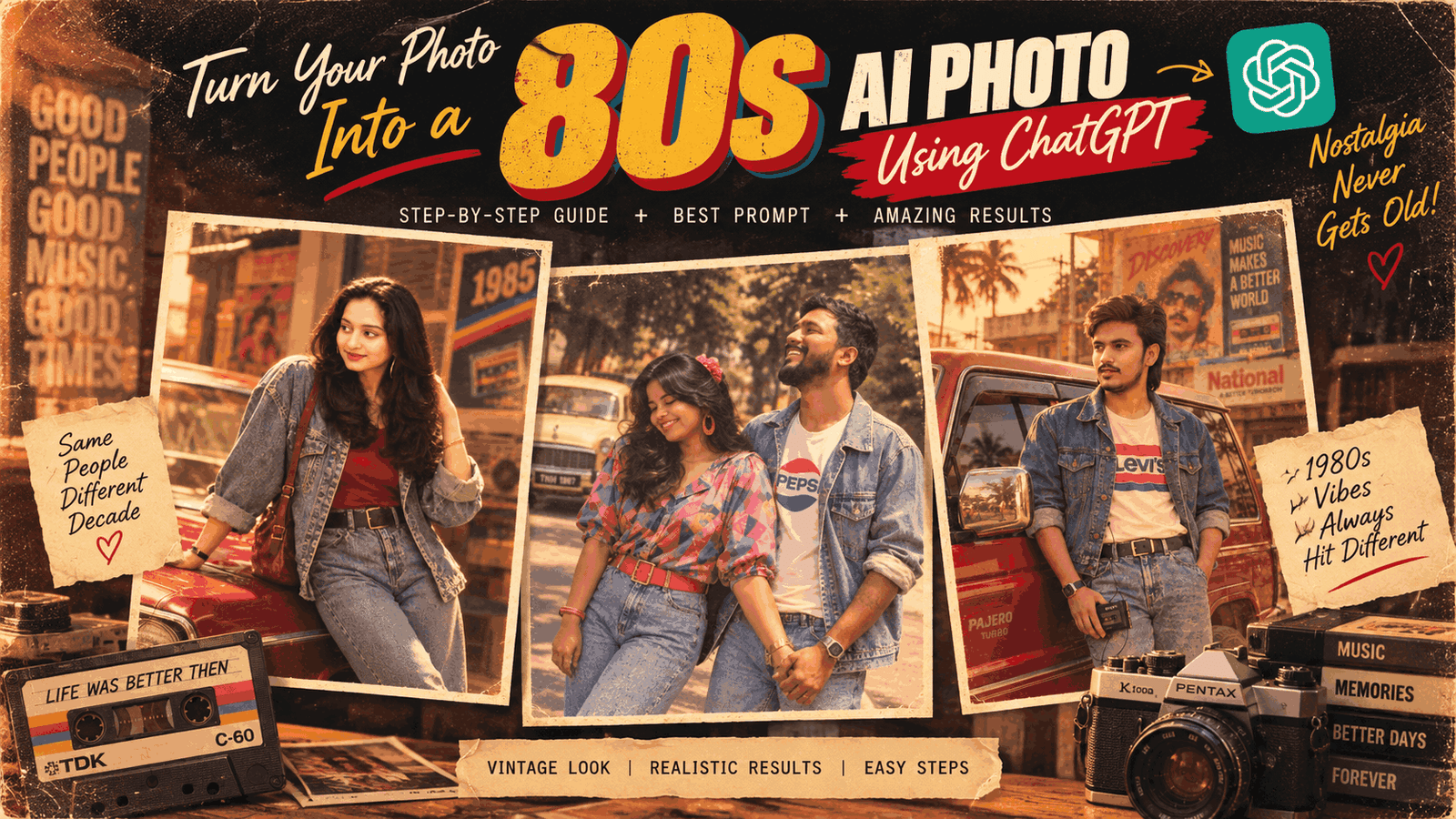
In this guide, you’ll learn how to create an 80s AI photo using ChatGPT step by step, what type of photo works best, how to use the viral 80s AI master prompt, and how to improve the generated image if the first result isn’t perfect.
What Is the Viral 80s AI Photo Trend?
The 80s AI Photo Trend is an AI-powered photo editing style that transforms a modern photograph into an image inspired by the fashion, photography, colors, and atmosphere of the 1980s.
Instead of simply applying a vintage filter, generative AI can reinterpret different visual elements of your photograph. Depending on the prompt, it can change the clothing, hairstyle, accessories, background, lighting, pose, colors, and photographic style while keeping the person recognizable.
For example, you can upload a normal portrait and ask ChatGPT to transform it into an authentic 1980s-style photograph.
The generated image could include:
- Vintage denim jackets
- 1980s dresses and shirts
- Retro sunglasses
- Classic hairstyles
- Digital watches
- Cassette players
- Boomboxes
- Vintage cars
- Old music stores
- Retro posters
- Film-camera aesthetics
- Warm golden lighting
- Analog film grain
- Slightly faded colors
- Aged printed-photo texture
The goal is to make the final image look less like a modern digitally edited photograph and more like a real photograph captured during the 1980s.
Why Are 80s AI Photos So Popular?
Nostalgia is one of the biggest reasons behind the popularity of retro AI photography.
The 1980s had a very distinctive visual identity. From colorful fashion and big hairstyles to cassette tapes, vintage cars, film cameras, and printed photographs, the decade has a recognizable aesthetic that works extremely well with generative AI.
Another reason is that AI makes it possible for almost anyone to experiment with this style.
Previously, creating an authentic-looking vintage portrait could require:
- Photoshop
- Professional retouching
- Vintage photo overlays
- Film-grain effects
- Color grading
- Background replacement
- Fashion editing
- Lighting adjustments
Now, much of this can be done simply by uploading a photograph and describing the desired result in natural language.
This makes the 80s AI photo trend particularly popular on platforms such as Facebook, Instagram, TikTok, Pinterest, and other social media platforms.
What Do You Need to Create an 80s AI Photo?
Creating an 80s-style AI photo is relatively simple.
You generally need:
- An Android phone or iPhone
- The ChatGPT mobile app
- A ChatGPT account
- A clear photograph
- Internet access
- The 80s AI master prompt
You don’t need Photoshop or advanced photo-editing experience.
For the best results, however, the quality of your original photograph matters.
A clear, well-lit portrait where the person’s face is visible usually gives the AI more useful information to work with.
How to Choose the Best Photo
Before generating your 80s AI portrait, select a suitable source image.
A good source photograph should ideally have:
1. A Clearly Visible Face
Choose a photograph where the face isn’t heavily blurred or hidden.
Avoid images where:
- The face is extremely small
- The person is wearing sunglasses
- Strong filters cover the facial features
- The image is heavily blurred
- The face is covered by another object
2. Good Lighting
A well-lit photograph usually provides better visual information than an extremely dark image.
Natural daylight or soft indoor lighting can work well.
3. Good Image Quality
Use the highest-quality version of your photograph available.
Avoid screenshots or extremely compressed social-media images whenever possible.
4. Suitable Composition
Portrait and half-body photographs are particularly useful for fashion-focused 80s edits.
However, you can also experiment with full-body photographs and group pictures.
Step 1: Install the ChatGPT App
The first step is to get the official ChatGPT application on your smartphone.
On Android, open the Google Play Store and search for ChatGPT by OpenAI.
On iPhone, search for the official ChatGPT application through Apple’s App Store.
After installing the app:
- Open ChatGPT.
- Sign in to your account.
- Start a new conversation.
- Make sure you have the image upload option available.
Always make sure you’re using the official ChatGPT application rather than an unrelated third-party application with a similar name.
Step 2: Upload Your Photo
Once you’ve opened a new ChatGPT conversation, look for the + or attachment/image button.
Tap it and select the photograph you want to transform.
If you’re creating a couple or group photograph, you can upload an image containing multiple people.
Before sending the image, make sure the important faces are clearly visible.
You can also tell ChatGPT what you want to preserve.
For example:
Keep the people recognizable and preserve their natural facial appearance while transforming the clothing, hairstyle, environment, and photographic style into an authentic 1980s look.This helps communicate that you want an 80s transformation rather than a completely different person.
Step 3: Use the 80s AI Master Prompt
After uploading your photograph, paste the following prompt into ChatGPT.
Viral 80s AI Photo Master Prompt:
Keep face 100% same and Transform the uploaded photo(s) into an authentic 1980s version while keeping every person’s face, identity, facial features, and natural likeness clearly recognizable. Give each person a unique era-appropriate 80s hairstyle, fashion, accessories, and pose suited to their gender and appearance. For couples, style both naturally with coordinated but different looks.
Create a cinematic 1980s atmosphere with warm golden lighting, nostalgic analog film, subtle grain, faded vintage colors, and period-accurate backgrounds with classic cars, posters, cassette players, or other 80s details.
Ultra-realistic, natural skin texture, highly detailed, cinematic composition, professional 1980s magazine photography, vertical 9:16. Do not alter identity or facial structure
This is a general-purpose prompt, so you can modify it according to the type of image you’re trying to create.
Step 4: Generate Your 80s AI Photo
After attaching the photograph and adding the prompt, send your message.
ChatGPT will process the image and instructions and generate an edited version based on the requested 1980s aesthetic.
Generation time can vary depending on several factors, including current service conditions and account availability.
When the image is ready, examine it carefully.
Pay attention to:
- Face and identity
- Hairstyle
- Clothing
- Hands
- Accessories
- Background
- Lighting
- Image proportions
- Film grain
- Overall realism
If the result looks good, you can keep it.
If something isn’t right, don’t necessarily start the entire process again.
One of the advantages of conversational AI editing is that you can provide a follow-up instruction and ask for specific changes.
Step 5: Improve and Customize the Result
If your first image isn’t exactly what you wanted, give ChatGPT a more specific instruction.
For example:
Keep the same person, face, identity, composition, and overall scene. Make the clothing more authentically 1980s, add a vintage red car in the background, use warm sunset lighting, subtle analog film grain, slightly faded colors, and realistic aged-photo texture. Keep the result photorealistic and natural.
This is usually better than simply saying:
Make it better.
The more clearly you describe the specific change, the easier it is to guide the next version.
You can request changes to individual elements such as:
- Hairstyle
- Shirt
- Jacket
- Dress
- Sunglasses
- Watch
- Car
- Background
- Lighting
- Film grain
- Color tone
- Pose
- Camera style
Best 80s AI Photo Prompt Ideas
One of the easiest ways to create different versions of the trend is to change the setting and fashion direction.
Here are some ideas you can add to your main prompt.
1980s College Student
Transform the person into an authentic 1980s college student, wearing era-appropriate casual clothing, classic sneakers, vintage backpack, natural 1980s hairstyle, and standing near an old university campus with analog film photography.
80s Street Fashion
Create an authentic 1980s street-fashion portrait with vintage denim, colorful era-appropriate clothing, retro sneakers, classic sunglasses, natural 80s hairstyle, urban street background, warm analog film tones, and realistic film grain.
Vintage Music Store
Place the person inside an authentic 1980s music store surrounded by cassette tapes, vinyl records, vintage posters, old audio equipment, and warm cinematic lighting. Maintain a realistic analog film photography aesthetic.
Classic Car Scene
Place the person beside a classic 1980s automobile on a nostalgic city street. Add warm sunset lighting, realistic reflections, period-accurate clothing, subtle film grain, faded colors, and authentic analog photography.
Retro Romantic Couple
Transform the couple into a naturally styled 1980s romantic couple. Give each person different but coordinated vintage outfits, authentic hairstyles, subtle accessories, warm evening lighting, classic car in the background, and realistic analog film photography.
How to Create an 80s Couple Photo
The 80s trend can look particularly impressive when used for couples.
If you’re editing a couple photograph, don’t ask the AI to give both people identical clothing.
Instead, request coordinated but different outfits.
For example:
Transform this couple into an authentic 1980s romantic portrait. Preserve both people's recognizable faces, identity, facial features, and natural likeness. Give the man an era-appropriate denim jacket, vintage shirt, classic hairstyle, and analog wristwatch. Give the woman an elegant 1980s-inspired outfit with a period-appropriate hairstyle and subtle accessories.

Place them beside a classic vintage car on a nostalgic city street during golden hour. Add warm cinematic lighting, realistic shadows, subtle 35mm film grain, slightly faded colors, authentic 1980s photographic texture, and natural skin detail.

Make the final image look like a genuine photograph captured during the 1980s rather than a modern photograph with a filter.
This approach can produce a more natural result because each person has their own styling.
How to Create an 80s Street Fashion Photo
For a more energetic social-media-style image, try an 80s street-fashion concept.
You can use:
Transform the uploaded photo into an authentic 1980s street-fashion portrait. Preserve the person's recognizable face and identity. Give them stylish era-appropriate 1980s clothing, vintage denim, classic sneakers, retro sunglasses, an authentic 80s hairstyle, and subtle accessories.

Place them on a lively 1980s urban street with vintage storefronts, old advertisements, classic cars, and period-accurate environmental details.

Use warm cinematic lighting, realistic analog film grain, slightly faded colors, natural skin texture, realistic shadows, and professional 1980s fashion magazine photography.
How to Create an 80s Bollywood-Style Photo
You can also combine the retro aesthetic with South Asian fashion.
For example:
Transform the uploaded photo into an authentic 1980s South Asian cinematic portrait inspired by vintage Bollywood photography. Preserve the person's recognizable face, identity, facial structure, and natural likeness.

Give the person an elegant period-appropriate 1980s South Asian outfit, hairstyle, accessories, and natural pose. Create a nostalgic cinematic environment with vintage architecture, classic cars, old posters, warm golden lighting, analog film grain, slightly faded colors, realistic skin texture, and authentic 1980s film photography.

Make it look like a real vintage film photograph from the 1980s, not a modern image with a filter.
You can change the clothing, location, and mood depending on the style you’re looking for.
How to Get More Realistic 1980s Photos
A common mistake is asking AI to add too many retro objects.
Adding every possible 80s object can make the image look artificial.
Instead, focus on a few strong details.
For example:
Good combination:
- Vintage clothing
- One classic car
- Warm lighting
- Analog film grain
- Period-appropriate background
This can look more realistic than adding ten different objects.
You should also avoid excessive film grain.
A real vintage photograph may have grain, color fading, slight imperfections, and softness, but it shouldn’t necessarily look extremely noisy.
Try phrases such as:
- “subtle analog film grain”
- “natural film imperfections”
- “slightly faded colors”
- “realistic 35mm film photography”
- “authentic printed photograph texture”
- “natural skin texture”
- “realistic lighting”
These instructions help avoid the overly processed appearance that sometimes occurs with AI-generated images.
Common Problems With 80s AI Photos
1. The Face Looks Different
If the generated face doesn’t look sufficiently recognizable, ask for a correction.
Try:
Keep the current composition and styling, but preserve the person's recognizable facial features and natural likeness more carefully. Do not redesign or change the face.
You can then regenerate or continue refining the image.
2. The Image Looks Too Modern
If the clothing and environment still look contemporary, ask for stronger period accuracy.
For example:
Remove modern-looking fashion and objects. Make the clothing, hairstyle, accessories, vehicles, signage, furniture, and environment authentically inspired by the 1980s.
3. The Image Looks Like a Filter
Simply adding a brown or faded color doesn’t necessarily create an authentic 80s photograph.
Instead, ask for changes to the entire photographic aesthetic:
Make the photograph look like it was actually captured on an analog film camera in the 1980s, with natural film grain, realistic exposure, subtle color fading, authentic lens characteristics, and slight printed-photo imperfections.
4. Hands or Accessories Look Strange
AI-generated images can sometimes produce visual inconsistencies in areas such as hands, watches, glasses, or small objects.
If this happens, request a targeted correction rather than changing the entire image.
For example:
Keep the face, clothing, background, lighting, and composition unchanged. Correct the hands and accessories so they look anatomically and physically realistic.
Tips for Creating Better Viral 80s AI Photos
If you want your final image to look more impressive on social media, consider these tips.
Use a Vertical Composition
A 9:16 vertical composition is useful for social-media platforms and mobile viewing.
Keep the Face Visible
A clear face generally makes the transformation more recognizable.
Choose One Main Concept
Instead of combining a college, music store, beach, racing scene, and nightclub into one image, choose one primary setting.
Use Period-Accurate Details
Small details can make a huge difference.
Examples include:
- Cassette tapes
- Analog watches
- Vintage radios
- Old posters
- Classic cars
- Retro furniture
- Film cameras
- Period-appropriate clothing
Don’t Overdo the Effects
The goal should be authentic nostalgia, not an extremely exaggerated vintage filter.
Subtle imperfections often look more realistic.
Can You Create an 80s AI Photo From a Group Picture?
Yes, you can experiment with group photographs as well.
However, group images can be more challenging because the AI has to maintain the appearance and positioning of several people simultaneously.
For better results:
- Use a high-resolution group photo.
- Make sure everyone’s face is visible.
- Clearly describe the desired clothing.
- Ask for coordinated but different outfits.
- Tell the AI to preserve each person’s recognizable identity.
- Avoid adding too many complicated background elements.
For a large group, you may need several iterations to achieve a result you’re happy with.
Can You Use Your Old Family Photos?
Absolutely. In fact, old family photographs can be particularly interesting for this type of project.
If you already have an old photograph, you can use AI to create a different interpretation of the era.
However, if you’re working with an old or damaged image, first consider improving its clarity before attempting a complex transformation.
You can also tell the AI to preserve the original people while changing the surrounding fashion or environment.
For example:
Preserve all recognizable people from the original photograph. Restore clarity naturally while transforming the scene into an authentic 1980s cinematic family portrait. Maintain realistic facial features and natural skin texture.
80s AI Photo vs. Traditional Vintage Filter
There is an important difference between a traditional vintage filter and generative AI editing.
A traditional filter generally changes properties such as:
- Brightness
- Contrast
- Saturation
- Color temperature
- Grain
- Vignette
Generative AI can potentially reinterpret much more of the image.
For example, you can request:
- Different clothing
- Different hairstyle
- New background
- Vintage vehicles
- Period-specific objects
- Different lighting
- Different photographic composition
That’s why an AI-generated 80s photograph can look significantly different from simply applying an old-film preset.
Final Thoughts
The 80s AI Photo Trend is a fun way to transform ordinary modern photographs into nostalgic retro portraits.
You don’t need Photoshop or professional photo-editing experience to experiment with the trend. With the ChatGPT app, a suitable photograph, and a detailed prompt, you can create a wide variety of 1980s-inspired images.
The most important thing is to use a clear original photograph and give the AI specific instructions.
Start with the master prompt in this guide, then experiment with different concepts such as:
- 1980s college student
- Retro romantic couple
- 80s street fashion
- Vintage music store
- Classic car photography
- Retro family portrait
- 1980s South Asian fashion
- Vintage magazine photography
If the first result isn’t perfect, don’t worry. Continue the conversation and request specific corrections to the clothing, background, lighting, hairstyle, or film texture.
With a little experimentation, you can create a convincing 1980s AI portrait that looks like it came from a vintage photo album rather than a modern smartphone camera.
Frequently Asked Questions (FAQ)
1. What is the 80s AI Photo?
The 80s AI Photo Trend is a popular AI photo-editing style that transforms modern photographs into images inspired by the fashion, photography, colors, hairstyles, and environments of the 1980s.
2. Can I create an 80s AI photo using ChatGPT?
Yes. You can upload a suitable photograph to ChatGPT and provide a detailed 1980s transformation prompt. Image-generation availability and usage limits can depend on your account and current ChatGPT plan.
3. Do I need Photoshop to create an 80s AI photo?
No. You don’t need Photoshop or professional photo-editing skills. A suitable photograph and a detailed AI prompt can be enough to get started.
4. What type of photo gives the best result?
A clear, well-lit portrait or half-body photograph where the person’s face is clearly visible is usually a good starting point.
Avoid extremely blurry, heavily filtered, or heavily obstructed photographs.
5. Can I create an 80s AI couple photo?
Yes. You can upload a photograph of two people and ask ChatGPT to create a coordinated 1980s couple portrait.
For a natural result, ask for different but complementary outfits and hairstyles for each person.
6. Can I create an 80s AI photo from a group picture?
Yes, although group photographs can be more challenging because the AI needs to maintain multiple people’s recognizable appearances simultaneously.
A high-quality photograph with clearly visible faces generally works better.
7. How can I make my AI photo look more realistic?
Use phrases such as “realistic analog film photography,” “subtle film grain,” “natural skin texture,” “slightly faded colors,” “authentic 1980s photography,” and “realistic lighting.”
Avoid excessive grain and too many unnecessary retro objects.
8. Can I change the hairstyle and clothing?
Yes. You can specifically request an 80s hairstyle, denim jacket, vintage dress, retro sunglasses, classic watch, colorful shirt, or other period-appropriate fashion.
9. Can I add a vintage car or cassette player?
Yes. You can ask the AI to add specific 1980s objects such as classic cars, cassette players, boomboxes, vinyl records, vintage radios, posters, and old storefronts.
For a more realistic image, ask that these objects be naturally integrated into the scene.
10. Can I make an 80s AI photo in vertical 9:16 format?
Yes. You can include “vertical 9:16 composition” in your prompt when you want an image optimized for mobile viewing and social-media formats.
11. Why doesn’t my first AI-generated image look perfect?
AI image generation can sometimes produce inconsistencies with faces, hands, clothing, objects, or backgrounds.
Instead of completely starting over, try giving a specific follow-up instruction describing exactly what needs to be corrected.
12. Is the ChatGPT app free?
ChatGPT has a free option, but image-generation features, availability, and usage limits can vary depending on your account and the current service offering.
13. Can I use the generated 80s AI photo on social media?
You can generally use images you create for your own social-media posts, subject to the applicable ChatGPT terms and any rights relating to people, trademarks, or other content depicted in the image.
Conclusion
Creating a viral 80s AI photo with ChatGPT doesn’t require complicated editing software.
Upload your photo, paste the 80s AI master prompt, generate the image, and then refine the result with specific instructions.
Whether you want an 80s couple photo, retro fashion portrait, vintage car scene, college-style photograph, music-store portrait, or Bollywood-inspired 1980s image, the same basic technique can be adapted to create many different styles.
Try the master prompt above and experiment with different locations, outfits, hairstyles, lighting, and retro details to create your own nostalgic 1980s AI photograph.
